
What is aperture in photography? Aperture is the adjustable opening inside a camera lens. It controls how much light reaches the camera sensor and helps determine how much of a photograph appears sharp. A wide aperture lets in more light and can blur the background; a narrow aperture lets in less light and keeps more of the scene in focus.
In this beginner’s guide to aperture photography, you’ll learn what an f-stop is, why a low f-number means a wider opening, and how to choose aperture settings for portraits, landscapes and everyday photos. Understanding aperture is a key step towards controlling exposure, depth of field and the creative look of your images.
To help you put this into practice, you can also download our free guide to aperture, f-stops, and depth of field, which includes a practical task to reinforce what you’ve learned. Grab the guide below and start mastering aperture with confidence.
Timestamps: 00:50 What is an Aperture? | 01:32 Why the F? | 02:03 Aperture Sequences 03:55 | f-stops Explained | 05:00 Apertures & Depth of Field | 06:08 Apertures Task
What is aperture in Photography?
Aperture is the opening formed by overlapping blades inside a camera lens. When you select an aperture setting, those blades make the opening wider or narrower. This changes the amount of light that reaches the sensor and influences depth of field—the area in front of and behind the focus point that appears acceptably sharp.
A useful way to think about aperture is to compare it to the pupil in your eye. When the aperture is wide, more light is allowed in. When the aperture is narrow, less light reaches the camera sensor. This control over light is what makes aperture such a powerful setting in photography.
That’s the quick aperture definition. Below, you’ll learn how aperture works with shutter speed and ISO to control exposure, and how to use it creatively to control depth of field.
If you want how to control exposures using apertures, shutter speeds and ISO’s together, click here.
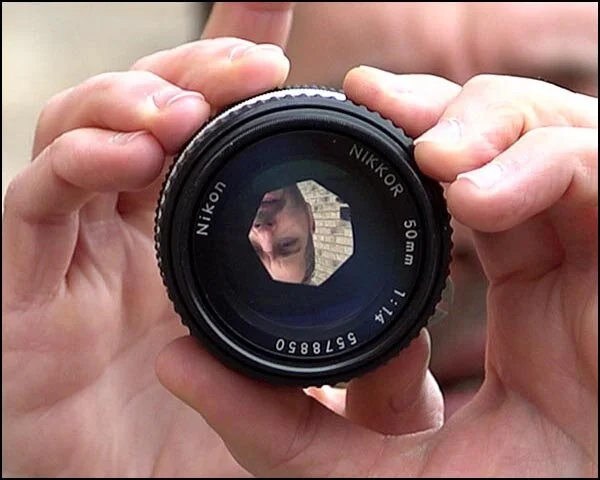
Aperture in a camera lens
Get access to ALL our online courses - 1000’s of videos, worksheets, critiques of students work, personalised support and much more with our monthly membership.
The Aperture Sequence
Below is a typical aperture sequence you’ll find on most cameras: f/2, f/2.8, f/4, f/5.6, f/8, f/11, f/16 and f/22. As the aperture opening becomes smaller, the aperture number (f-stop) becomes larger. Remember the relationship as opposites: a wide aperture uses a low f-number and lets in more light, while a narrow aperture uses a high f-number and lets in less light.
Very wide maximum apertures, such as f/1.8, f/2 or f/2.8, are common on prime lenses and higher-quality zoom lenses. They are useful in low light and for creating background blur. The available aperture range depends on the lens, and some zoom lenses have a maximum aperture that changes as you zoom.

Typical aperture sequence found on cameras.
Why Is Aperture Measured in F-Stops?
Camera aperture values are shown as f-numbers or f-stops, written as f/2.8, f/8 or f/16. Technically, the f-number is the lens’s focal length divided by the diameter of its entrance pupil. That ratio explains the apparently backwards numbering: f/2.8 is a wider opening than f/8.
When you look at your camera settings and see several numbers displayed, the value associated with the f-stop represents the aperture. On some camera brands, the letter “f” may not be shown, but the number still refers to the aperture setting. If you’re unsure where your aperture is displayed, check your camera’s manual to locate the aperture controls.
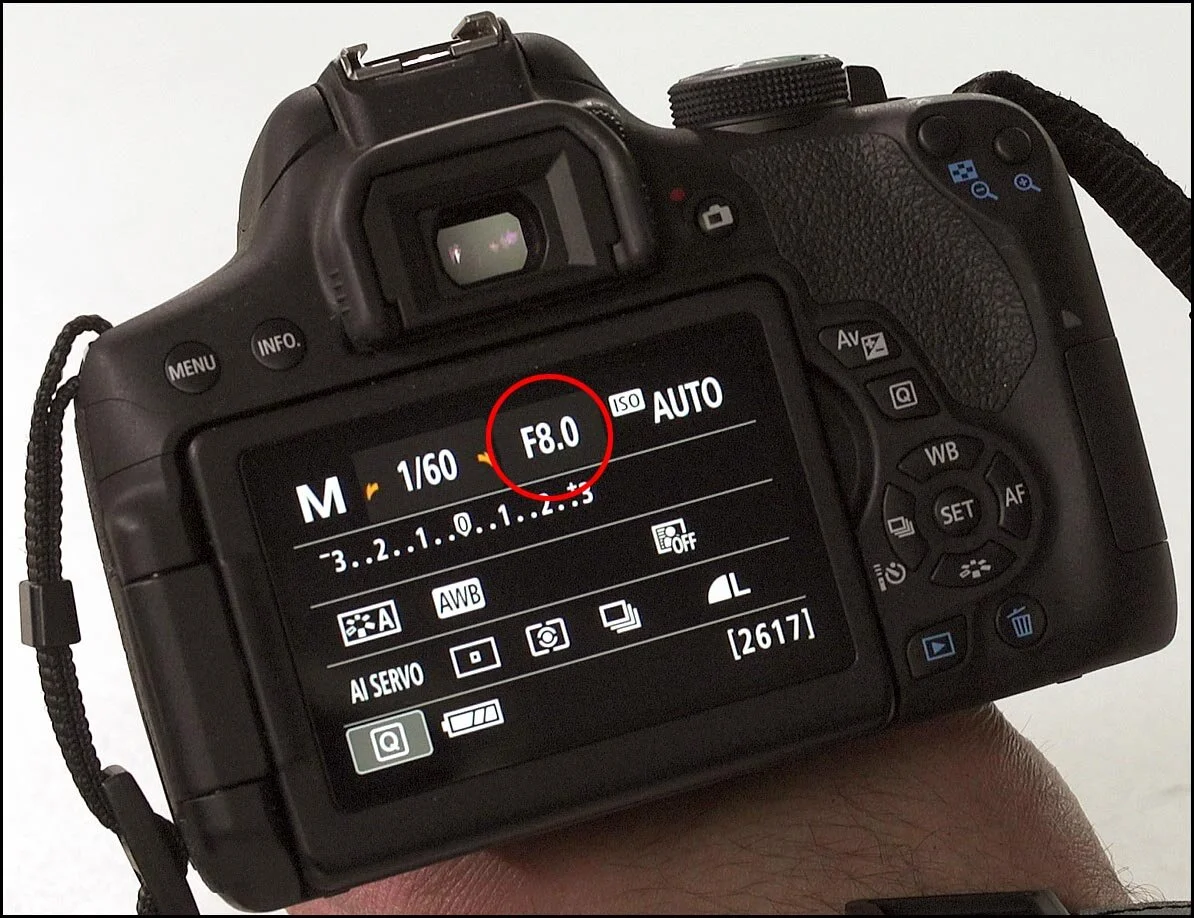
Aperture setting on back of camera
Understanding Aperture and F-Stops in Photography
Once you understand the aperture definition, the next step is learning how f-stops affect exposure. In photography, one stop represents a doubling or halving of the amount of light reaching the camera sensor. Opening the aperture by one full stop doubles the light; closing it by one full stop halves the light.
Aperture is one part of the exposure triangle, alongside shutter speed and ISO. If you change the aperture but want to maintain the same brightness, you can compensate with shutter speed or ISO. For example, closing from f/4 to f/5.6 halves the light, so using a shutter speed twice as long restores the same exposure.

Aperture relation to light

Apertures in stops
As shown in the images above, moving from one aperture setting to the next changes the exposure by one stop, meaning the amount of light is either halved or doubled. The f-stop simply refers to the f-number currently selected on your camera. For example, if your camera is set to f/8, then your aperture is set to an f-stop of f/8.
Modern cameras also include additional aperture values between full stops. These are known as third-stop increments, which allow for finer control over exposure. You can see examples of these smaller aperture adjustments in the image below.
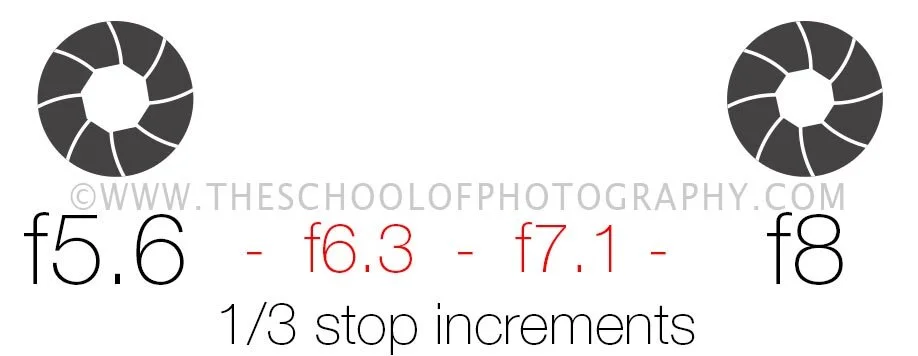
Apertures with 1/3 increments
Third-stop aperture settings allow more precise exposure control. When you’re first learning aperture photography, memorise the full-stop sequence above, then use the smaller increments when you need to fine-tune brightness or depth of field.
In Aperture Priority mode (A or Av), you choose the f-stop and the camera selects a shutter speed for a balanced exposure. In Manual mode, you control aperture, shutter speed and ISO yourself. Aperture Priority is often the simplest way for beginners to practise the creative effect of aperture while the camera handles overall brightness.
How Aperture Affects Depth of Field in Photography
In photography, aperture controls light and is one of the main factors affecting depth of field. Focal length, camera-to-subject distance and subject-to-background distance also influence how much of the image appears sharp.
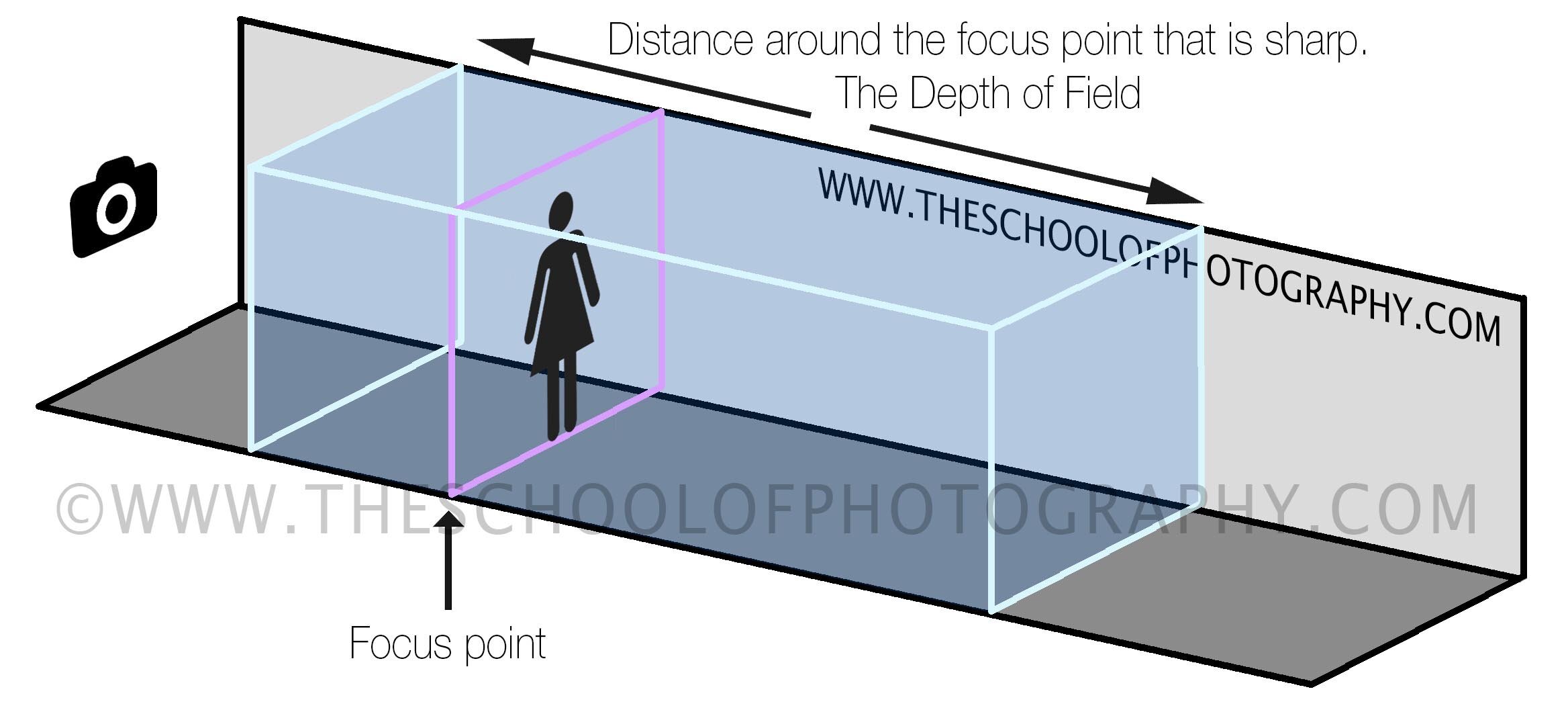
Depth of Field in Photography. The purple line is the focus point, and the blue box is the distance around that focus point that is sharp. This is the image’s Depth of Field
Knowing how to control depth of field using aperture allows you to create portraits with a beautifully blurred background, known as shallow depth of field, or capture landscapes where everything appears sharp from foreground to background, known as a deep depth of field. See the examples below.

Portrait using a wide aperture
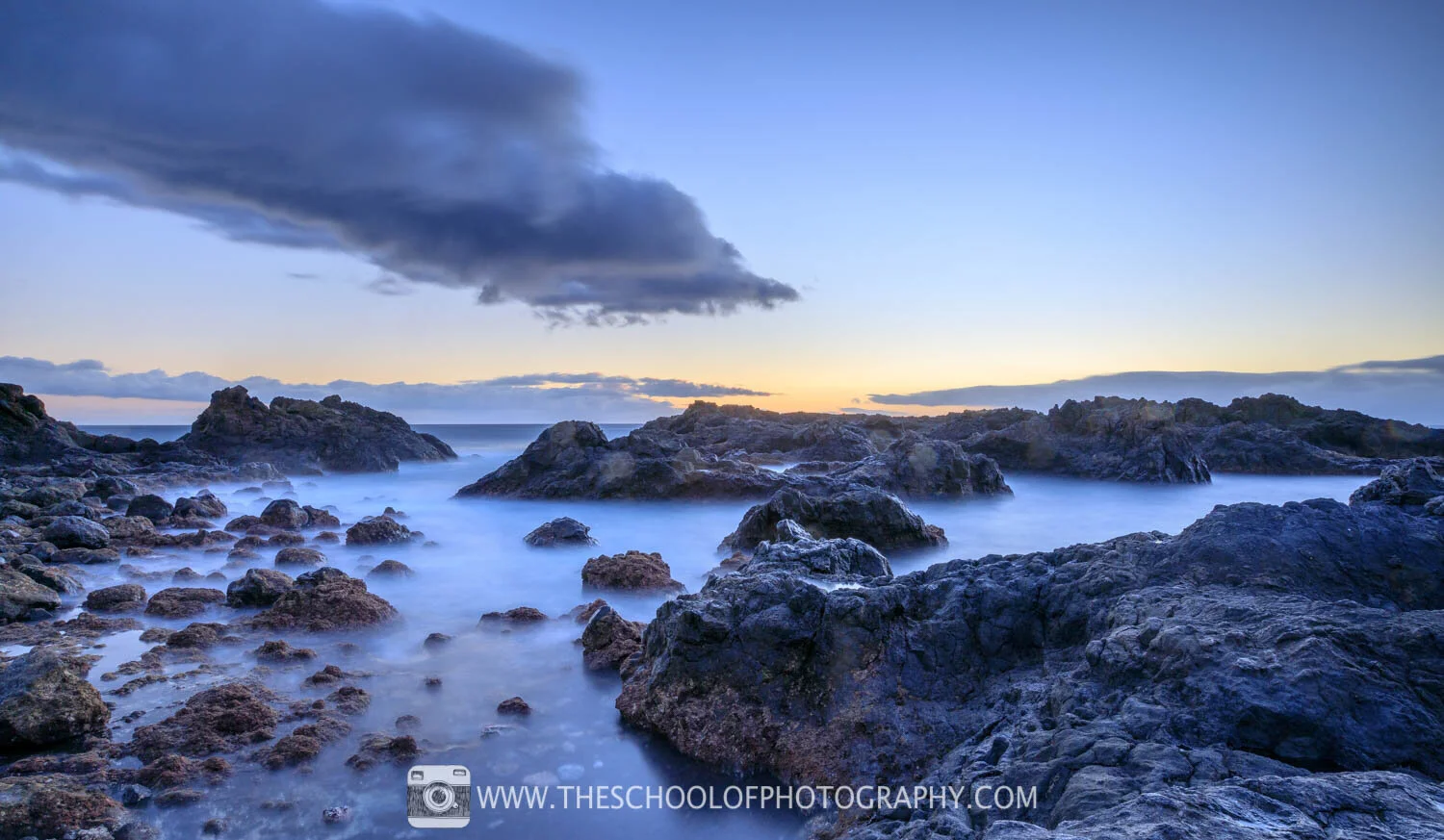
Landscape using a small aperture
The wider the aperture, the shallower the depth of field will usually be, so less of the scene appears sharp. This is called a shallow depth of field.
The narrower the aperture, the deeper the depth of field will usually be, so more of the scene appears sharp. This is called a deep depth of field.
Depth of field affected by aperture. A wide aperture such as f/2.8 gives a shallower depth of field; a narrow aperture such as f/16 gives a deeper depth of field.
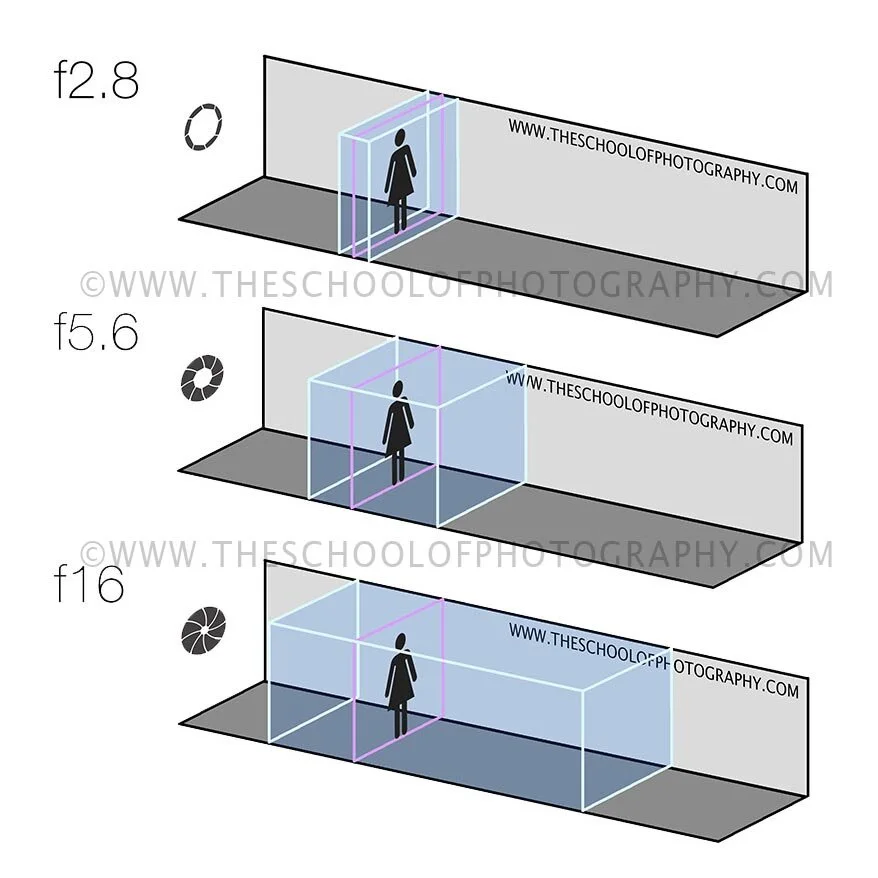
DOF being affected by the aperture. A larger aperture, f/2.8 give less depth of field. A smaller aperture f/16 give a longer depth of field
As you can see in this illustration a wide aperture of f/2.8 will give a shallow DOF, whereas a small aperture such as f/16 will create a long DOF.
Examples of Controlling Depth of Field with Aperture
Below you can see several pictures of the same subject (a brick wall), taken in the same place with the same focus point. But the depth of field changes between the shots due to the different aperture setting.

f/4 - 1/250 Second - ISO 100

f/5.6 - 1/125 Second - ISO 100

f/8 - 1/60 Second- ISO 100

f/11 - 1/30 Second - ISO 100

f/16 - 1/15 Second - ISO 100

f/22 -1/8 Second - ISO 100
By changing the aperture setting, you can control depth of field and decide whether to isolate a subject or keep more of the scene sharp. Remember that a slower shutter speed may be required as the aperture narrows, so use a tripod when camera shake becomes a risk.
Practice Aperture in Photography: Learn How It Works
Reading about aperture is helpful, but comparing real photographs makes the effect much easier to understand. This practical aperture photography exercise keeps the camera position and focus point consistent, allowing you to see how each f-stop changes depth of field and shutter speed.
You can also download our free guide to aperture, f-stops, and depth of field, which includes this practice task so you can take it with you and apply it wherever you’re shooting. You’ll find the guide available at the bottom of the page.
Practice Task: Using Aperture in Photography
Stabilise your camera
Mount your camera on a tripod and set a 2-second self-timer or use a remote trigger. This keeps the camera completely still during each exposure.Set your camera to Aperture Priority mode
Switch your camera to A or Av mode, which allows you to control the aperture while the camera automatically adjusts the shutter speed.Set ISO to Auto
Using Auto ISO ensures consistent exposure while you focus on how aperture affects depth of field.Choose a suitable subject
Position your camera close to a wall, fence, or another subject with depth and distance. Repeating patterns such as brickwork or railings work especially well, but this isn’t essential. Refer to the image below for guidance.Lock your focus point
Keep the focus point in the same position for every shot to ensure that aperture is the only variable changing.Photograph using different aperture settings
Take several photos, moving through the available aperture stops on your camera. You don’t need every f-number shown in the sequence—just use the options your lens provides.Review and compare your images
View the images on a computer screen and compare them side by side to clearly see how changing aperture affects depth of field.
Voila! You’ve now controlled depth of field using aperture. Compare the files at full size and look at both the focused subject and the background. To learn how aperture, shutter speed and ISO work together, explore our complete guide to photography.
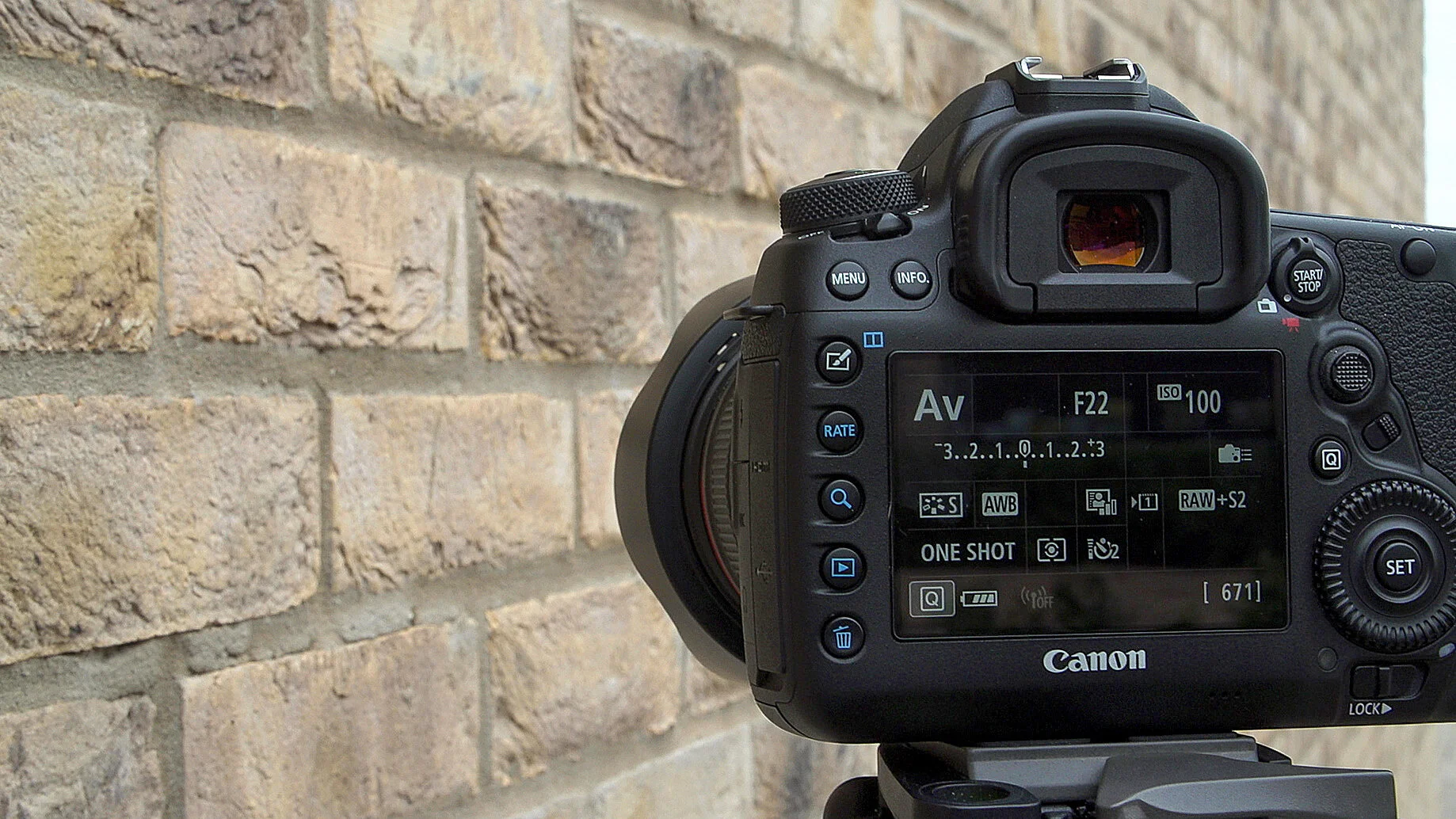
Camera set up for your aperture task
Summary: What Is Aperture in Photography?
In simple terms, aperture in photography is the adjustable opening inside a camera lens. It controls how much light reaches the sensor and helps control depth of field. Aperture is expressed as an f-number or f-stop, such as f/2.8, f/8 or f/16. A low f-number means a wider opening; a high f-number means a narrower opening.
A wide aperture, such as f/2.8, admits more light and can create a shallow depth of field, making it useful for portraits, low-light photography and blurred backgrounds. A narrow aperture, such as f/11 or f/16, admits less light and can create a deep depth of field, which is useful when you want foreground and background detail to appear sharp. The best aperture depends on the subject, available light and the creative result you want.
Frequently Asked Questions About What Is Aperture in Photography
What is aperture in photography?
An aperture in photography is a hole in the lens which gets bigger or smaller to let in more or less light. The aperture in photography is also one of three elements that controls depth of field. To learn more about apertures and the other two elements that control depth of field, check out our Beginners Photography Course.
What does aperture do in photography?
An aperture in photography does two things. One, it increases or decreases the light coming into your camera. And two, it helps control what is called depth of field in photography and depth of field in photography is what makes the background blurry or sharp.
What is an f-stop?
An f-stop in photography is the number that relates to the aperture that you are using, i.e. f/8. The F stands for focal ratio, and this is a mathematical equation between the size of the aperture and the focal length of the lens. What this means is that an f/8 will be an f/8 on a big full-frame camera, and it will also be an f/8 on your small mobile phone camera. In short, it's a measurement that gives you the number of your aperture, such as f/5.6, f/8, f/11, etc.
Is f/2.8 a wide or narrow aperture?
f/2.8 is considered a wide aperture.
Which aperture is best for portraits?
There isn't a specific aperture that is best for portraits, as it depends on the effect that you want. However, for the classic portrait with a blurry background, you tend to use wide apertures like f/2.8 or f/4.
Which aperture is best for landscape photography?
There isn't a specific best aperture for landscape photography; however, there is a general rule when it comes to apertures and landscape photography. This is to use small apertures, such as f/11 or f/16. Using these small apertures ensures that you get a long depth of field from the foreground, meaning that the foreground all the way to the background will be sharp.
Does a higher f-stop mean more light?
No, a higher f-stop number means less light, as it is a smaller hole. For instance, f/16 is a small hole which lets in less light, whereas f/2.8 is a large hole and lets in more light. It's confusion as the numbers, as the size of the numbers, are opposite to the amount of light that's let into the camera. But don't worry, we break down all of that confusion in our Beginners Photography Course.
How do I change aperture on my camera?
It depends on the camera that you've got, but usually there is a dial which is located near to your shutter release button. Turning this dial, in manual mode, will change the aperture. This will also be shown on the back of your camera on its LCD screen. If you want to learn how to use your camera more confidently, click here.
Does aperture affect image sharpness?
Yes, it does. However, this is commonly known as depth of field rather than sharpness. Depth of field is the distance within your image that is sharp. And the aperture is one of three elements that controls that in photography. To learn about the other two elements that control depth of field, click here.
What is the difference between aperture and depth of field?
The aperture is a physical hole that is built into the lens of your camera, and depth of field is the visual effect that is shown in your image that is created by the aperture.
Like this? - Check out free tutorials below


I hope you liked this tutorial on what is aperture in photography, if you did, please leave us a comment and support us by sharing it with your friends and subscribe to our newsletter at the bottom of this page for more.
We also have an excellent learning community on social media so please join us there as well.
Thanks for watching and remember – Learn more at The School of Photography.
