
Looking for a free Lightroom presets download? Our collection of 15 free Lightroom presets is available to download instantly and works with both Lightroom Classic, Lightroom Desktop and Lightroom Mobile. Whether you're looking for cinematic edits, vintage colours, black and white conversions or colour pop effects, these Lightroom presets will help you edit your photos in one click.
These professional Lightroom presets free download files are suitable for beginners and experienced photographers who want to speed up editing while achieving consistent results.
Lightroom presets are pre-saved editing settings that instantly apply a professional look to your photographs. Instead of adjusting exposure, contrast, colour grading and sharpening manually, a Lightroom preset applies multiple edits with a single click.
Free Lightroom presets are an excellent way to speed up your editing workflow while learning how professional edits are created. Once applied, every setting remains editable, allowing you to customise each preset to suit your own photographs.
Whether you're editing portraits, landscapes, travel photography or street photography, Lightroom presets help you create consistent results in far less time.
These presets work with Adobe Lightroom Classic, Lightroom Desktop and Lightroom Mobile.
Our best lightroom presets include:
Our best Lightroom presets include:
2x Black & White – 5x Cinematic – 2x Colour Pop – 2x Soft – 2x Vintage – 2x Vignette
You’ll also receive full instructions on how to install and use Lightroom presets, making it easy to get started straight away. Scroll down to see examples of the effects these Lightroom presets create.
Download the presets at the bottom of this page.
Why You Don’t Need to Buy Lightroom Presets (Free Lightroom Presets Explained)
Many photographers spend money on Lightroom presets without fully understanding how Lightroom works. If you’re not confident using Lightroom, presets alone won’t give you the results you want.
Are You Using Lightroom Presets to Their Full Potential for Photo Editing?
Fill the gaps in your knowledge with our Complete Guide to Lightroom Online Course. Learn how to customise Lightroom presets, fine-tune your edits, and develop your own unique style.
Free Lightroom Presets Before & After – See the Results
Here’s what you can achieve using our free Lightroom presets, with a breakdown of each preset style and the effect it creates.
Black & White Lightroom Presets (2 Free Presets)

Original colour photo (no Lightroom preset applied)

After: Black & white Lightroom preset applied
Transform your images with our black and white Lightroom presets, ideal for landscape and dramatic photography. These presets are excellent for enhancing clouds, increasing contrast, and adding mood to otherwise flat images.
Whether you're editing sweeping landscapes or moody urban scenes, these Lightroom presets make it easy to create striking black and white photographs with just one click while still allowing you to fine-tune the look to suit your style.
5 Free Cinematic Lightroom Presets for Dramatic Photo Edits
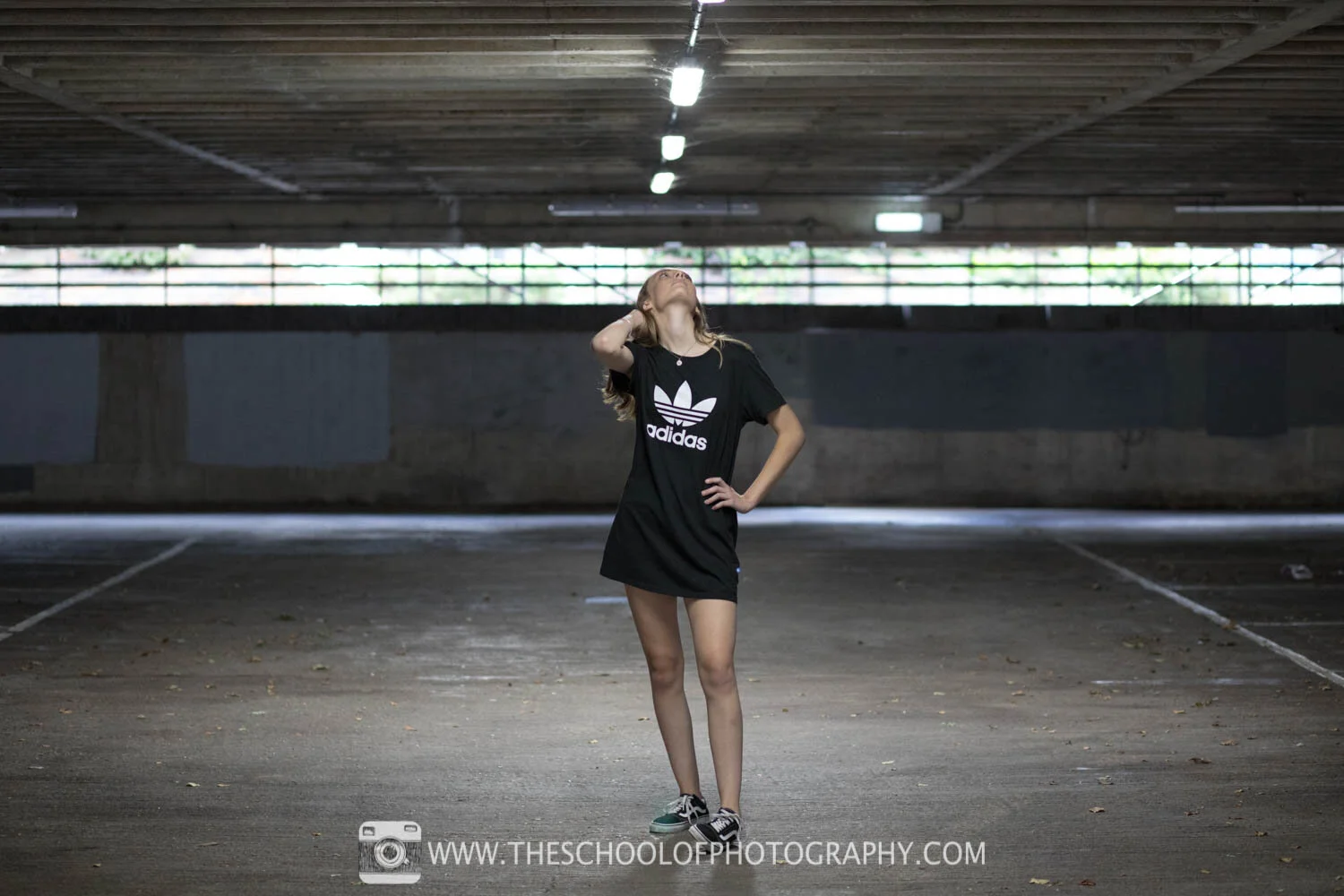
Before: Original photo without any Lightroom preset applied

After: Cinematic Lightroom preset applied
These cinematic Lightroom presets work particularly well for travel photography, street photography, portraits and urban landscapes. They add subtle teal shadows, warm highlights and increased contrast while preserving natural skin tones. If you enjoy movie-inspired editing styles, these free Lightroom presets are an excellent starting point.
If you want to learn how to create this look manually, see our cinematic photo editing tutorial in Lightroom
Vintage Lightroom Presets (2 Free Presets)

Original colour photo without any Lightroom preset applied

After: Vintage Lightroom preset applied
Give your photos a timeless look with our free vintage Lightroom presets. These free Lightroom presets subtly desaturate colours, warm skin tones and introduce gentle grain to recreate the classic look of film photography in just one click.
Perfect for portraits, lifestyle, travel and creative photography, these Lightroom presets add warmth, character and nostalgia while keeping your images fully editable. Download our Lightroom presets free download collection below and start creating beautiful vintage edits in seconds.
Ideal for portraits, lifestyle photography, and creative projects.
Colour Pop Lightroom Presets — Free Download (2 Presets)

Before: Original photo without any Lightroom preset applied

After: Colour pop Lightroom preset applied
Bring your photos to life with our free Colour Pop Lightroom presets. These Lightroom presets are designed to enhance vibrant colours, reduce visible noise and add extra depth and clarity, making them ideal for high ISO images and photos that need an extra boost.
Perfect for travel, street, wildlife and everyday photography, these free Lightroom presets help create bold, eye-catching images in just one click while remaining fully editable to suit your personal style.
Soft Lightroom Presets (2 Free Presets)

Before: Original photo without any Lightroom preset applied

After: Soft Lightroom preset applied
Create a soft, dreamy look with our free Soft Lightroom presets. These Lightroom presets gently increase luminance, soften contrast and blend tones smoothly to produce a beautiful, ethereal finish while preserving natural detail.
Delicate purples and mauves are added to the highlights and shadows to create a subtle, atmospheric mood, making these free Lightroom presets perfect for portraits, weddings, lifestyle and fine art photography. Fully editable, you can easily customise each preset to achieve your own unique style.
Vignette Lightroom Presets (Before & After Examples)

Before: Original photo without any Lightroom preset applied
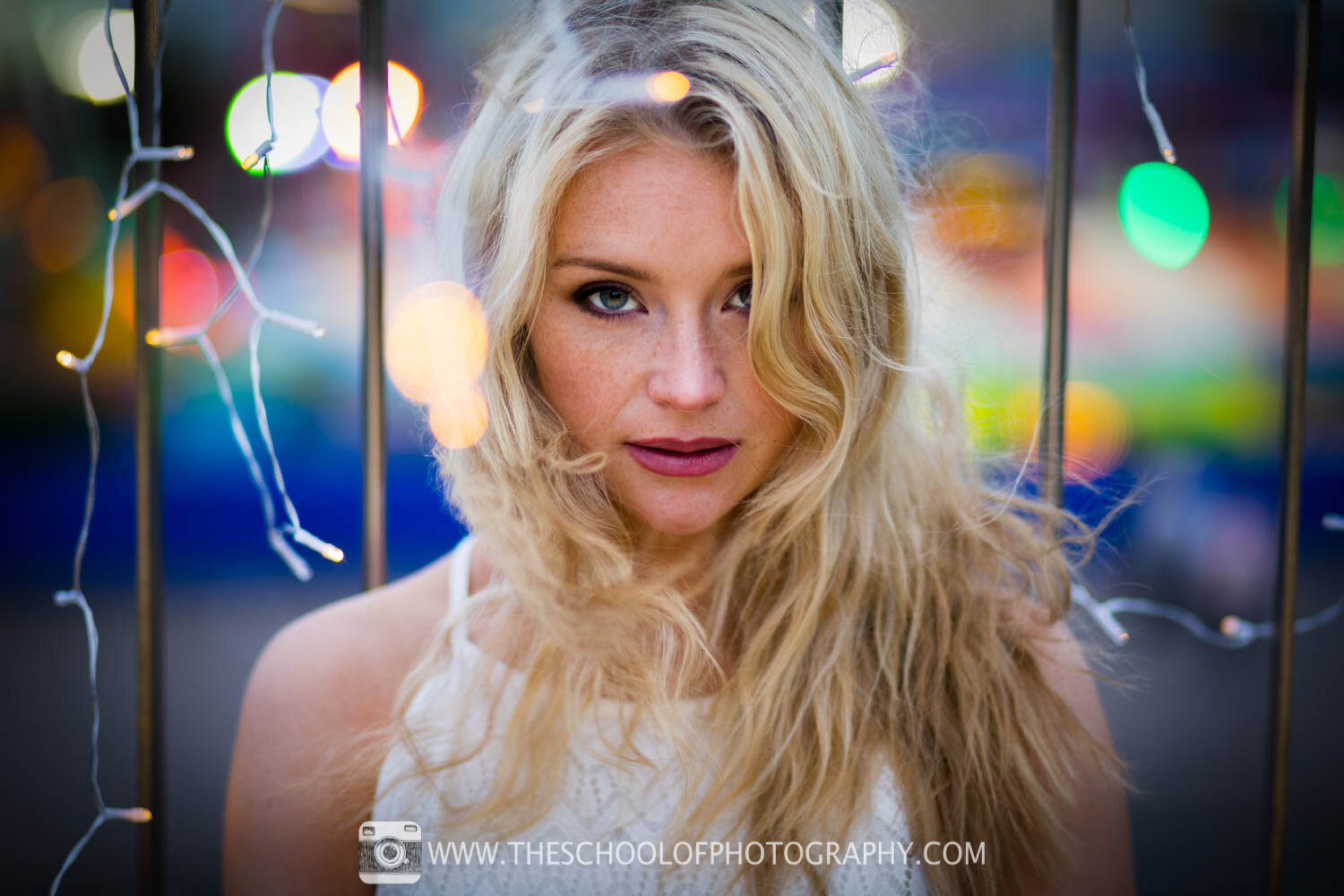
After: Vignette Lightroom preset applied
Focus attention on your subject with our free Vignette Lightroom presets. These Lightroom presets apply a subtle darkened edge to your images, naturally drawing the viewer's eye towards the centre of the frame while adding depth and visual impact.
Ideal for portrait, wildlife, street and fine art photography, these free Lightroom presets blend seamlessly with your existing Lightroom edits and remain fully editable, allowing you to fine-tune the vignette to perfectly complement every photograph.
Get instant access to all our high-quality online courses
Become a member of TSOP and unlock all our high-quality online photography and Lightroom courses.
Want More Lightroom Presets & Tutorials?
Check out these popular Lightroom tutorials:
Star Wars Cinematic Effect in Lightroom
Stranger Things Cinematic Effect in Lightroom – Free Preset


1) Are these Lightroom presets really free to download?
Yes. These presets are free to download and use, and they’re designed to help you get professional-looking edits in Lightroom with just one click.
2) Do these free Lightroom presets work with Lightroom Mobile?
Yes, these presets can be used in Lightroom Mobile as well as Lightroom Desktop. If you’re using mobile, you’ll just need to import them into the app first.
3) How do I install Lightroom presets?
Download the preset files, then import them into Lightroom. The process is slightly different for Desktop and Mobile, so follow the step-by-step install instructions on this page to make sure they appear correctly.
4) What’s included in this Lightroom presets free download?
This free download includes 15 Lightroom presets covering a range of popular styles, including cinematic, black & white, vintage, colour pop, soft tones and vignette effects.
5) Will these presets work on any photo?
They’ll work on most photos, but results can vary depending on lighting, exposure and colours in the original image. You can always tweak settings after applying a preset to get the perfect look.
6) Are Lightroom presets good for beginners?
Yes. Presets are a great way for beginners to learn what edits create specific looks, and they can speed up your workflow while you build confidence using Lightroom tools.
These free Lightroom presets are a great starting point, but mastering Lightroom comes from understanding the tools. Explore our Lightroom tutorials, or take our professional Lightroom course to gain full creative control over your edits.
I hope you like our free Lightroom Presets, if you do please leave us a comment and support us by sharing it with your friends and subscribe to our newsletter at the bottom of this page for more.
We also have an excellent learning community on social media so please join us there as well.
Thanks for reading and remember – Learn more at The School of Photography.

Marc Newton