
Just Like In The Movies – 20 FREE Cinematic Lightroom Presets
Want to add some movie magic to your photography? Download our 20 free cinematic Lightroom presets and give your photographs the atmosphere, colour and contrast of a blockbuster film in just one click.
Have you ever looked at a movie still or a beautiful photo and thought, “I wish my photos could look like that?” Well, you're not alone! Cinematic photography is all about capturing mood, atmosphere, and drama. It's what makes certain photos stand out and instantly grab your attention. And the best part? You don't need expensive equipment or advanced skills to start creating cinematic shots.
In this guide, we’ll explain the basics of cinematic photography and show you how to use each cinematic Lightroom preset to give your photos a dramatic, film-inspired finish. You can also download the complete cinematic Lightroom presets free collection and start experimenting with the different looks straight away.

Download our free cinematic photography presets by filling in the form below!
What Are Cinematic Lightroom Presets?
Cinematic Lightroom presets are pre-made editing settings designed to give photographs the mood, colour and contrast associated with films. The style draws inspiration from cinema, using lighting, colour grading and composition to create a stronger sense of atmosphere and story.
The key elements of a cinematic look include:
Lighting: Think soft, diffused light, dramatic shadows, and plenty of contrast. It's all about creating depth and atmosphere.
Colour Grading: Cinematic photos often feature muted tones, enhanced contrasts, and unique colour schemes like the popular "teal and orange" look.
Composition: Wide shots with leading lines, rule of thirds, and scenes that tell a story—just like a movie scene.
When done right, cinematic photography can turn an ordinary shot into something that feels like a scene from a movie. And the good news? You can start creating cinematic images right from your phone or camera with one click!

Koukichi Takashi on Unsplash. Before the lightroom preset is applied.

After adding our “Twilight” lightroom preset.
Get access to ALL our online courses - 1000’s of videos, worksheets, critiques of students work, personalised support and much more with our monthly membership.
How Cinematic Presets Create a Film-Inspired Look
Now, let's talk about Lightroom presets. If you're new to photography or just starting to edit your photos, Lightroom presets are your best friend. These are pre-made editing settings that can instantly give your photo a polished, professional look with just one click.
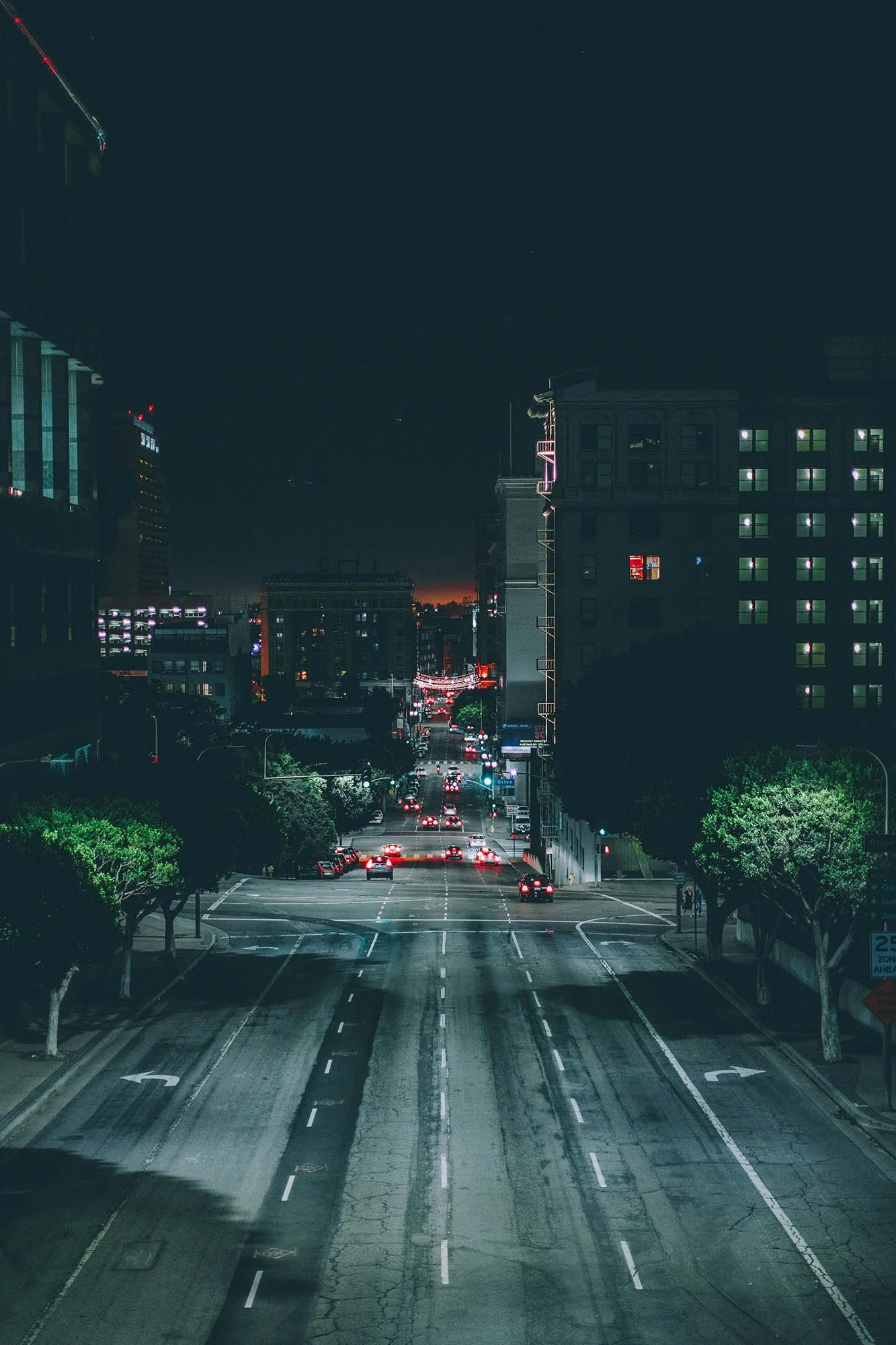
Andre Benz on Unsplash.

After our ‘Dune’ preset was applied.
Why should beginners use Cinematic Lightroom presets?
Consistency: Apply the same look to multiple photos with ease.
Efficiency: Saves time by automating colour grading and adjustments.
Learning tool: By seeing how different settings are applied, you can learn about photography editing techniques and develop your own style.
And the best part? We’re sharing a set of free cinematic Lightroom presets with you today! These presets will help you easily add cinematic tones and effects to your photos, so you can start creating those dramatic, film-like shots right away.

Matheus Forreo on Unsplash.

After our “Bullet Train” preset was applied.
Cinematic Lighting Tips for Beginners
Cinematic lighting is a huge part of what makes a photo feel like it’s straight out of a film. Here are some tips to help you master lighting for cinematic shots:
Shoot during the golden hour: The light just after sunrise or before sunset creates soft, warm tones that are perfect for cinematic photos.
Play with shadows and highlights: Don’t be afraid of shadows! Cinematic photos often have areas of deep darkness contrasted with bright, well-lit spots.
Use artificial light: Streetlights, lamps, or even fairy lights can create a moody atmosphere in your photos. Experiment with different light sources to find what works best.
Real-Life Example: Before and After
Let’s take a look at how the cinematic Lightroom preset can transform an image.
Before: A simple photo taken in an area with natural light, it’s bright, but it lacks drama.
After: Applying the preset adds a subtle orange tone, increases the contrast, and creates a more dramatic, filmic look. The shadows are deeper, and the overall feel of the image is much more cinematic. There’s also a little grain that gives the feel of 35mm cinema.
You can see the transformation instantly, and that’s the magic of Lightroom presets!

Sabrina Mazzeo on Unsplash.

After our “35mm Cinema” preset was applied.
Bonus Tips for Cinematic Photography
Here are a few bonus tips to elevate your photos even more:
Play with depth of field: A wide aperture (low f-stop) can give your photos a dreamy, blurred background, making your subject stand out more.
Experiment with colour contrasts: Try the popular teal and orange look or play with complementary colour schemes to evoke different emotions.
Tell a story: Every cinematic photo tells a story. Whether it’s a quiet moment or a bold, dramatic scene, think about what emotion you want to convey through your images.
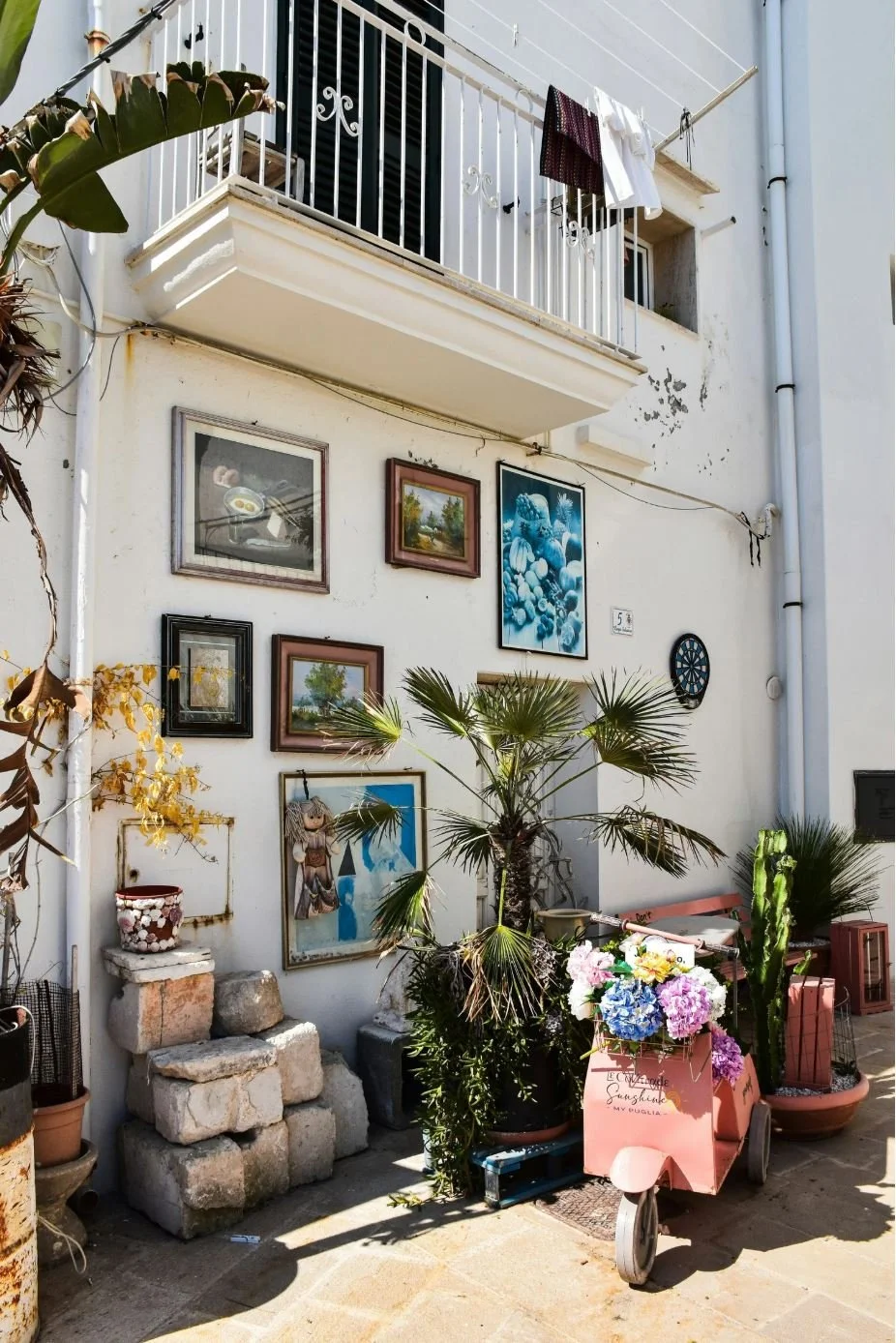
AXP Photography on Unsplash.

After our “Dune” preset was applied.
Frequently Asked Questions About Cinematic Lightroom Presets
What are cinematic Lightroom presets?
Cinematic Lightroom presets are a set of predetermined instructions that are programmed into Lightroom to make your images look like a still from a movie scene. They are very easy to use and have a dramatic effect on your photography.
How do I install a cinematic preset in Lightroom?
Installing cinematic presets in Lightroom is easy, and you are fully guided through that process via the instructions in the download at the top of this page.
Can I use these cinematic presets in Lightroom Mobile?
Yes, you can use the cinematic Lightroom presets in Lightroom Mobile.
Which photographs work best with a cinematic preset?
There isn’t one best type of photograph that will work best with these cinematic presets. The best thing to do is to experiment with them and choose the appropriate preset for the image. The great thing is that it's really quick and easy to apply 20 free cinematic presets we provide here to one image, giving you the opportunity to choose the one that works best.
Can I adjust a cinematic Lightroom preset after applying it?
Yes, and this is exactly how you should use presets. Simply apply the preset to a chosen image and tweak the settings in Lightroom to get the perfect effect that you want.
Conclusion
With just a few simple techniques, you can take your photos from ordinary to cinematic. Our free cinematic Lightroom presets let you apply film-inspired colour and contrast without needing to be a photo-editing expert. Download the preset pack, experiment with your images and adjust each look to create your own cinematic style.
Don’t forget to share your photos with us! Tag us on social media to show off your new cinematic creations. We can’t wait to see what you come up with.
Happy shooting!
Like this? - Check out more free tutorials below

I hope you enjoyed this blog about 20 Free Cinematic Lightroom Presets for a Movie-Inspired Look. If you did, please leave us a comment and support us by sharing it with your friends and subscribe to our newsletter at the bottom of this page for more.
We also have an excellent learning community on social media so please join us there as well.
Thanks for watching and remember – Learn more at The School of Photography.
