
Want to take better portraits? The biggest improvements rarely come from buying a new camera. They come from helping your subject feel comfortable, choosing a background that works, understanding the light and using settings that suit the scene.
In this tutorial, I’ll take you through six practical portrait photography tips using examples from a real shoot. After teaching photography for more than 20 years, I’ve found that a little planning and a few reliable techniques can make portrait photography much easier - even when you’re just starting out.
Portrait photography tips - the quick answer
Start with someone who feels comfortable in front of the camera. Keep the background simple, focus on the eye nearest the camera and look for flattering light. For a single-person portrait, f/2.8 is a useful starting point for a softly blurred background, but watch your shutter speed so the face stays sharp. Then work with your subject and change the framing until everything in the picture contributes to the portrait.
You can also download the free guide below and work along with me when on a shoot.
Enjoying these portrait photography tips? If you want to develop your skills further, explore our online photography courses for practical lessons on portraits, lighting and composition. You can also learn more about the courses included with TSOP membership. Click here to see our Online Courses.
Portrait Photography Tip 1 – Practice on an experienced model
Might sound obvious but you’ll be surprised what a difference this makes. A pro can work with anyone as they’ve done it 100 times before but as a beginner, you’ll turn up and fumble around with all sorts of poses you’ve seen on a YouTube video. If your model is used to being photographed it will make your life a lot easier in getting good looking portrait poses.
If you can get an experienced model, great, but if not try using someone you know who isn’t afraid of being in front of a camera. Don’t just pick an amateur model from the local Facebook group. Ask friends, family and other photographers for someone who will be willing to work with you.

Tip 1 - Being comfortable with the model
Portrait Photography Tip 2 - Share your vision with the model
As with any shoot, do not go in blind. Do some research and have an idea of the look you want to achieve in the portrait. Then share this vision with the model, show them some examples of poses you’ve found for example. This will put them at ease and give them an understanding of what you want to achieve in your photography.

Setting up the portrait.
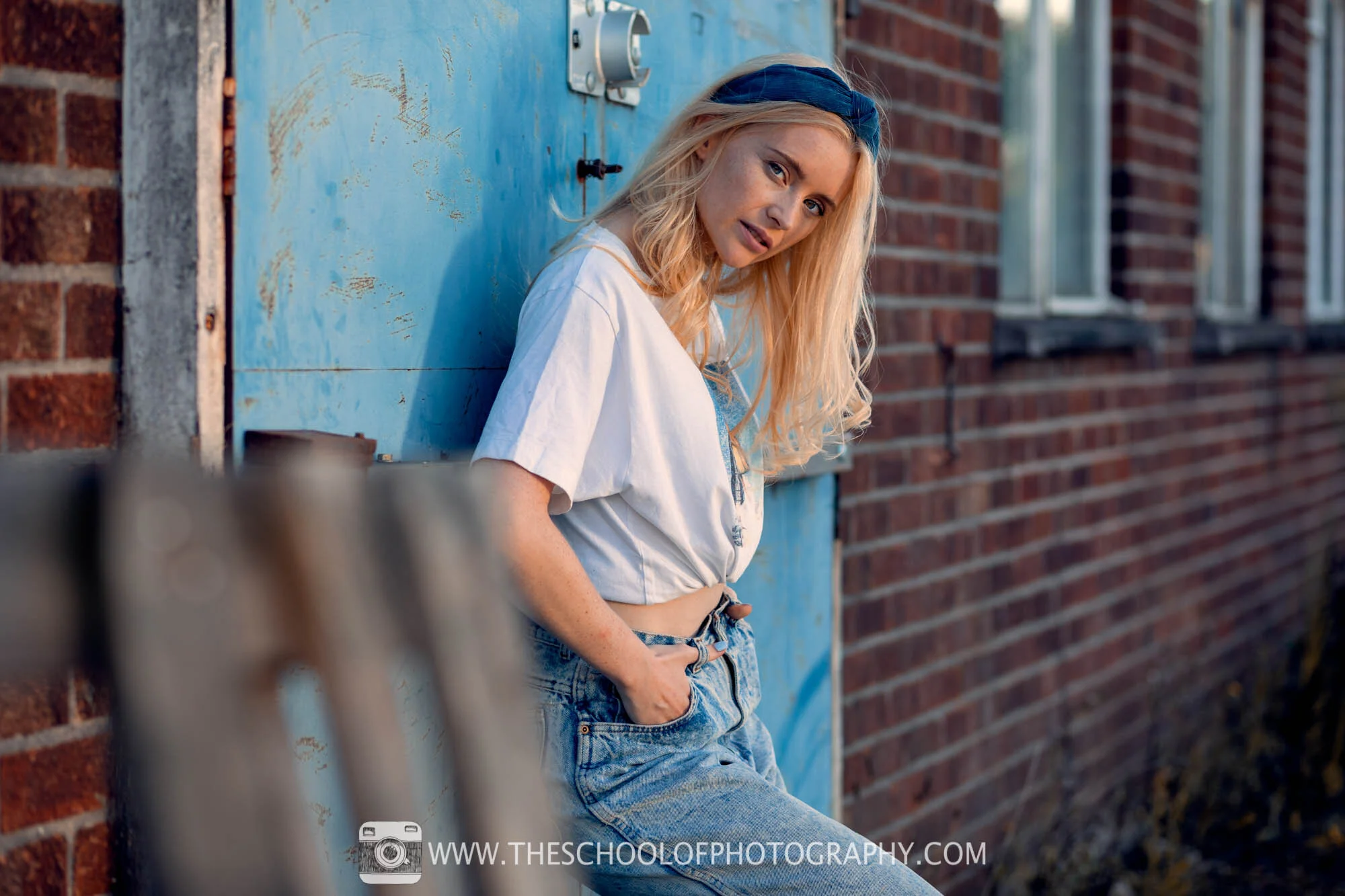
Final portrait - Camera Settings: 85mm Focal length - 1/400 Second - F 2.8 - ISO 100
Portrait Photography Tip 3 - Location
The next thing to consider is not the location as such, but how you will use the location to enhance your portrait photography. In the video I didn’t go to a pretty or epic location, I purposely went to an uninspiring place which is just down the road to our office. I went there because I want to show you that it’s not about where you go but how you use the place to enhance your photography.
Treat the location as a set of lines and shapes that will help you create interesting compositions to frame your portraits. Add foreground interest, use lines to create dynamic compositions, frame the model with background interest etc. As with all photography, you need to think about the whole frame not just the pose of the model.
To learn about using composition and framing correctly, click here.
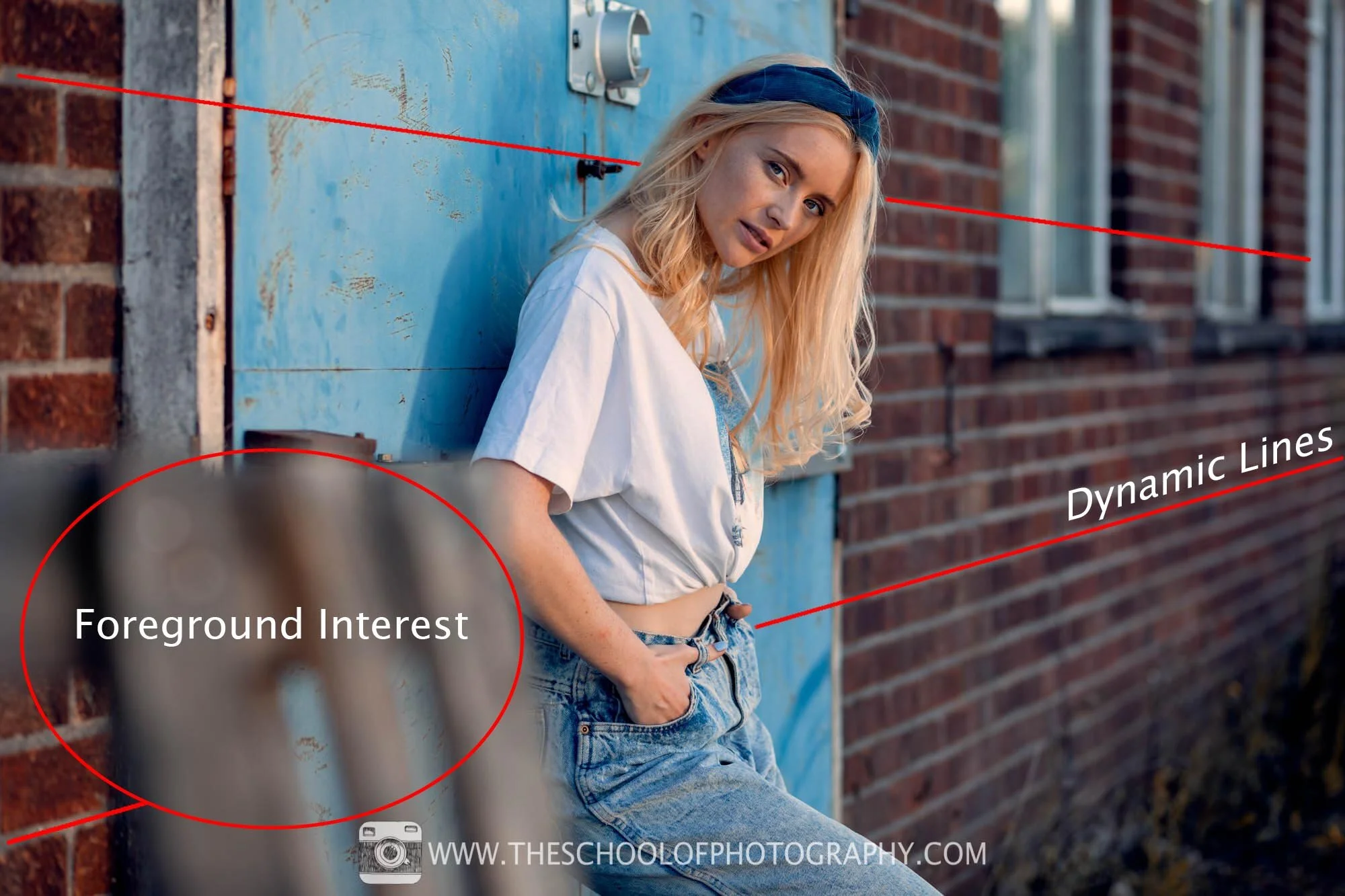
Tip 3 - Use the location to enhance the composition of the portrait

Framing with background interest
Get access to ALL our online courses - 1000’s of videos, worksheets, critiques of members work, personalised support and much more with our monthly membership.
Portrait Photography Tip 4 - Colour Scheme
As with all art, you need to think about a colour scheme and portrait photography is no different. Some basic knowledge of colour really helps here and as a quick tip, opposites on the colour wheel generally work well. In portrait photography, this is known as a complementary colour scheme and the most common complementary colours to use is oranges and blues.
This location we are in has oranges in the bricks, blues in the doors and there’s also whites in the window frames.

Armed with this knowledge, I asked Rosie to wear blue and white. This was to harmonise the clothing with the colours of the background. Then, in Photoshop or other post-processing programs, you easily add some colour grading to harmonise the colours further.
Planning a good colour scheme before you do your shoot is really important. Try not to use colours that clash. If you are a beginner, sticking to the orange and blue look is a really good tip. As mentioned before, it's also going to make your life a lot easier when it comes to post-processing your portraits. To learn more about colour grading in portrait photography, click here.
In the portrait below, colours have been enlarged so you can see how the colours are working together. The orange/browns of the bricks and orange light on the skin compliment well with the blues of the door and clothing of the model.

Portrait using the orange and blue complimentary colour scheme

Complimentary colours are opposite colours on the colour wheel
Portrait Photography Tip 5 - Camera settings for portrait photography
There is no single set of camera settings that works for every portrait. Your lighting, lens, subject movement and the amount of background blur you want all make a difference. Here are some useful starting points - adjust them to suit the photograph you want to make.
Focal length - Around 85mm on a full-frame camera is one of my favourites for head-and-shoulders portraits. Roughly 50-56mm on APS-C or 42.5mm on Micro Four Thirds gives a similar field of view. Remember that camera-to-subject distance, rather than focal length alone, changes how facial features appear in perspective.
Aperture - Try f/2.8 for one person if you want a softer background. For a group, or when you need more of the face in focus, consider f/4-f/5.6 or a smaller aperture as required.
Shutter speed and shooting mode - Start around 1/250 second for a relatively still subject and use a faster shutter speed for movement. Aperture priority can free you up when the light changes, but keep an eye on the shutter speed so you avoid blur.
ISO and focus - Keep the ISO as low as the available light allows, but raise it rather than risk a blurred portrait. Focus on the eye nearest the camera, using eye-detection autofocus if your camera supports it or selecting a suitable focus point yourself.
White balance - Auto white balance (AWB) is a good starting point, particularly if you shoot RAW and want the flexibility to fine-tune colour later.
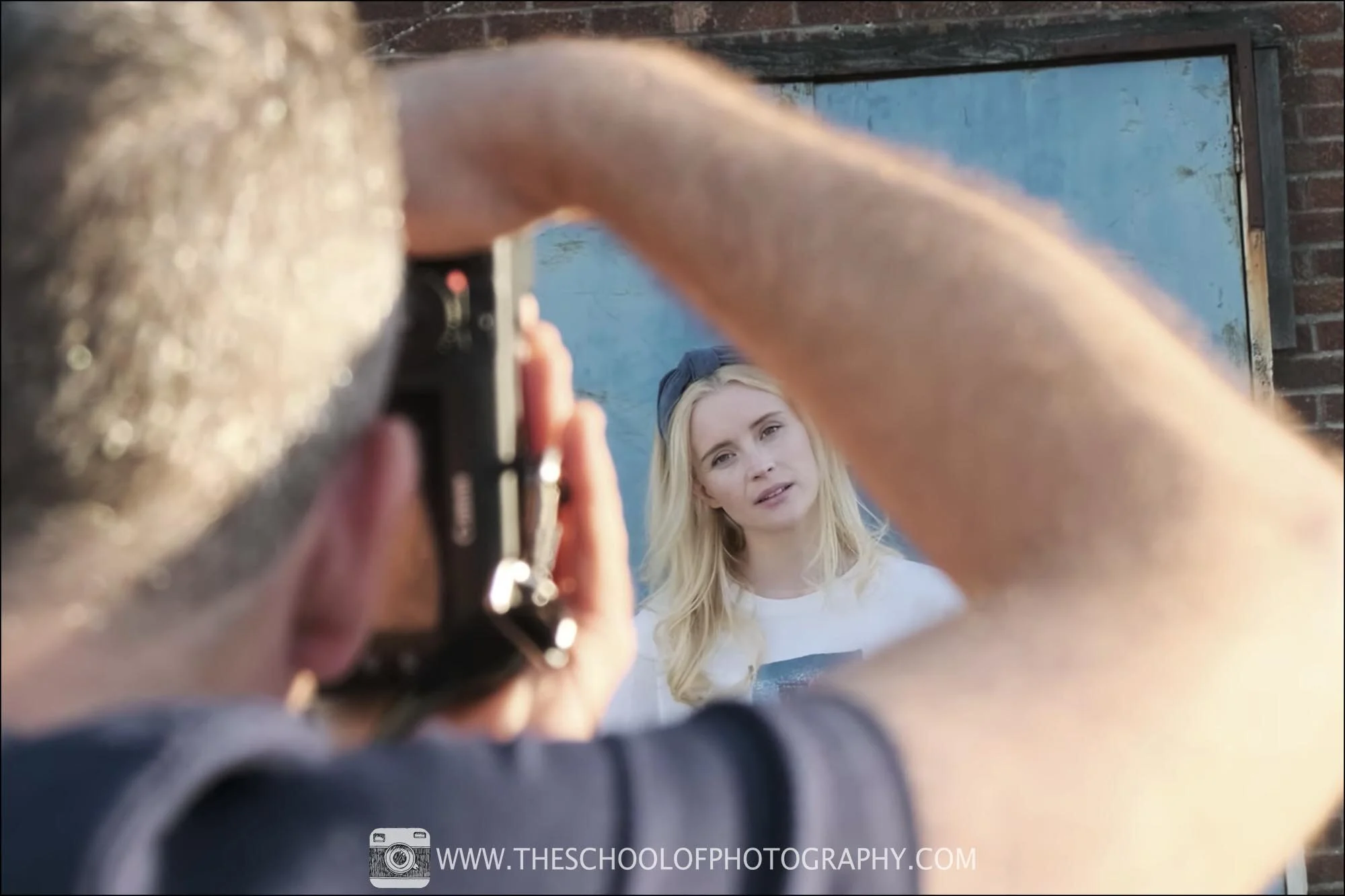
To learn all about camera settings click here.
Portrait Photography Tip 6 - Lighting
Lighting is one of the most important parts of portrait photography. You don't have to avoid midday completely, but direct overhead sun can cast unflattering shadows around the eyes and nose. When that happens, look for open shade, use a diffuser or deliberately work with the stronger light. Early morning and late afternoon light can also give you a softer, warmer look.
In this shoot, we are at sunset which gives a lovely warm, orange light and helps with the colour scheme mentioned above. We're actually in the shade but I use a silver reflector to bounce orange light back into the scene to highlight the model and add a catchlight to the eyes.
The importance of lighting in portrait photography cannot be underestimated and you don’t need expensive lighting equipment to achieve a good effect. A simple silver reflector which costs approx. £20, will do the trick fine.
Reflector comparison - Look closely at the two photographs below. Compare the shadows on the face and the catchlights in the eyes before and after the reflector is introduced. This practical example shows what you can change with a simple light modifier rather than expensive studio equipment.
To learn about studio lighting click here.
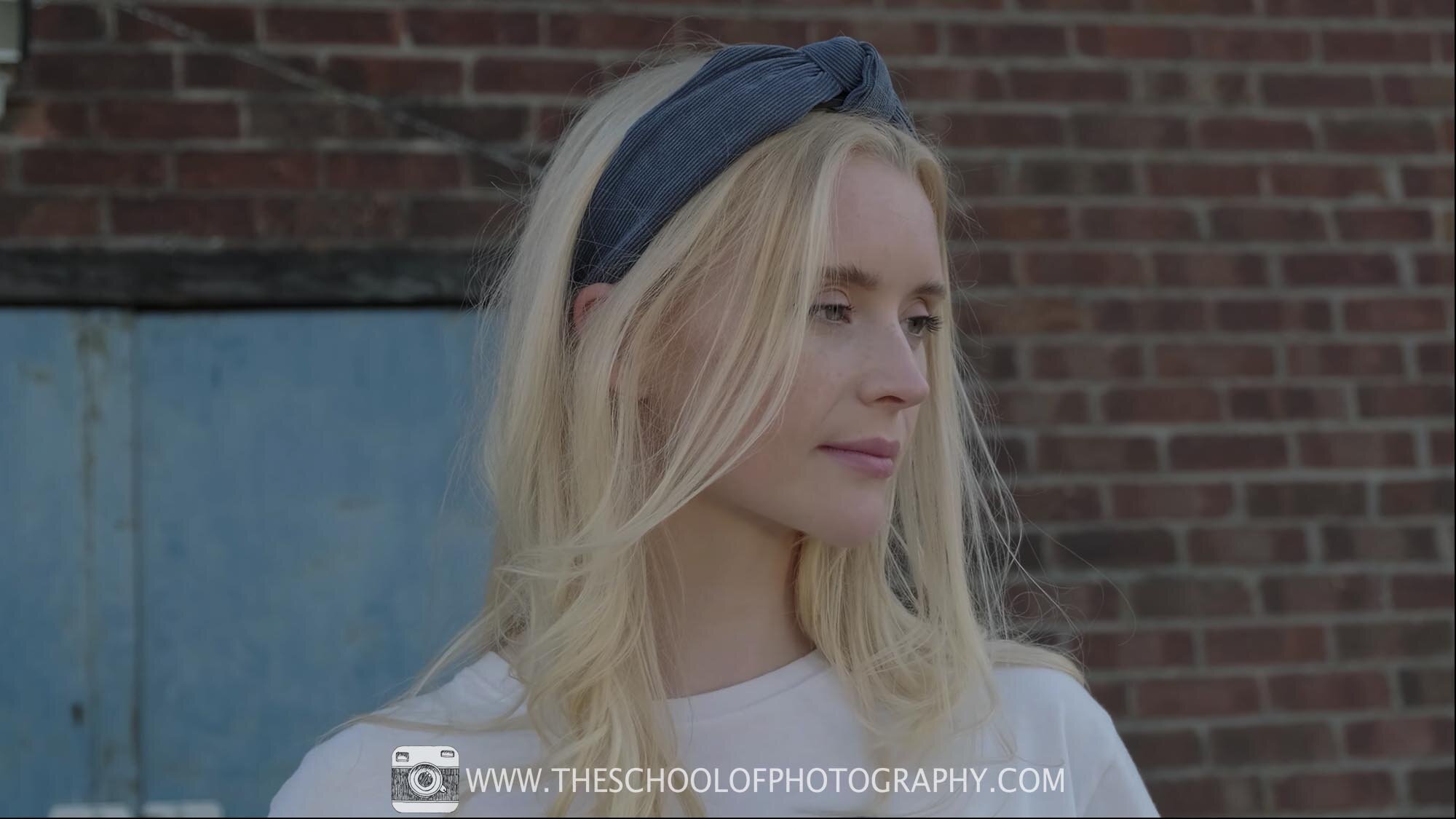
Portrait without reflector

Portrait with silver reflector
Examples of Portrait Photography

Camera Settings: 40 mm Focal Length ( Mirco 4/3) - 1/125 Second - F2.8 - ISO 400
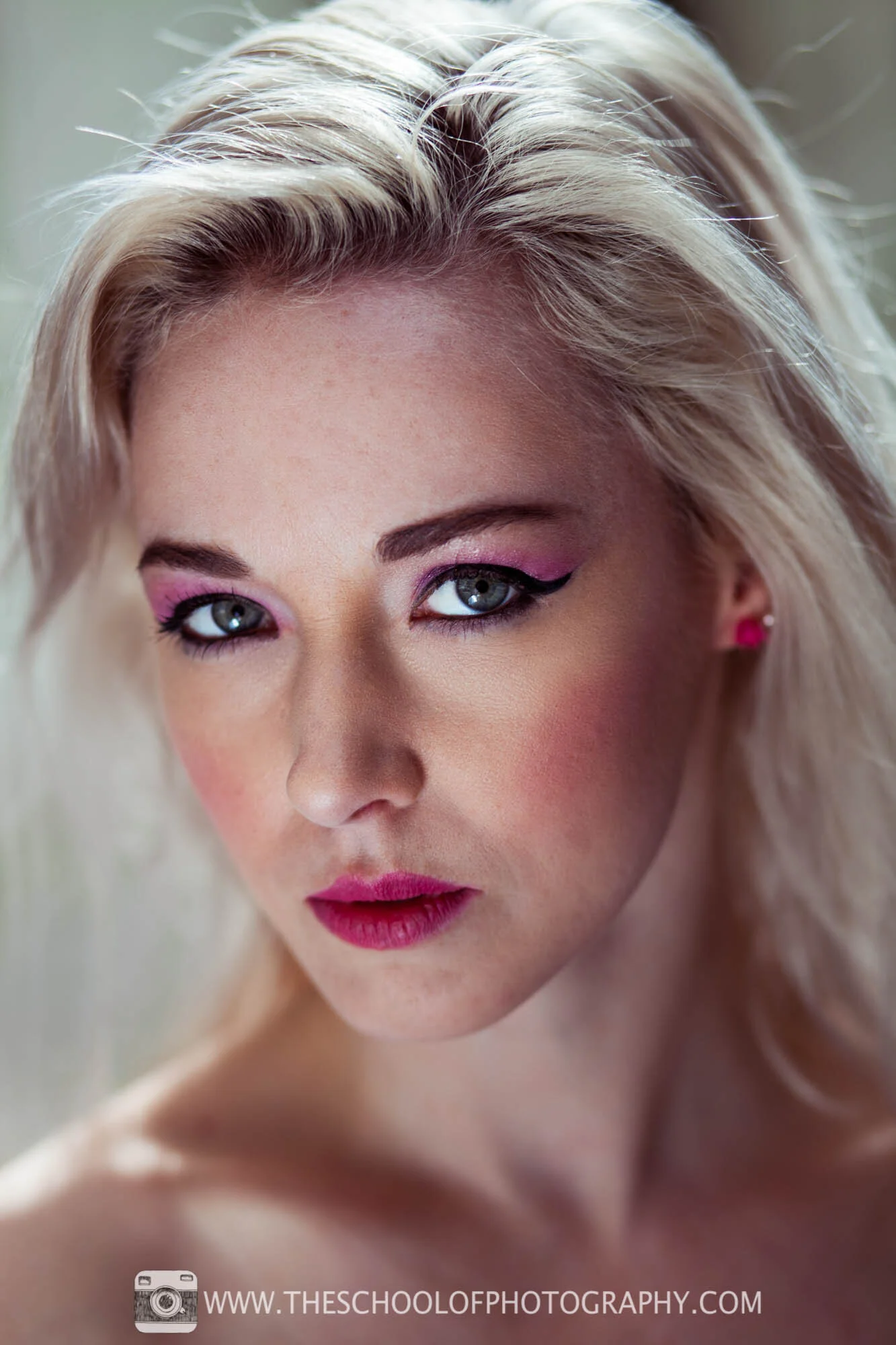
Camera Settings: 85mm Focal Length - 1/200 Second - f2.8 - ISO 100

Camera Settings: 32mm Focal Length - 1/125th Second - F2.8 - ISO 200

Camera Settings: 40 mm Focal Length ( Mirco 4/3) - 1/500 Second - F2.8 - ISO 400
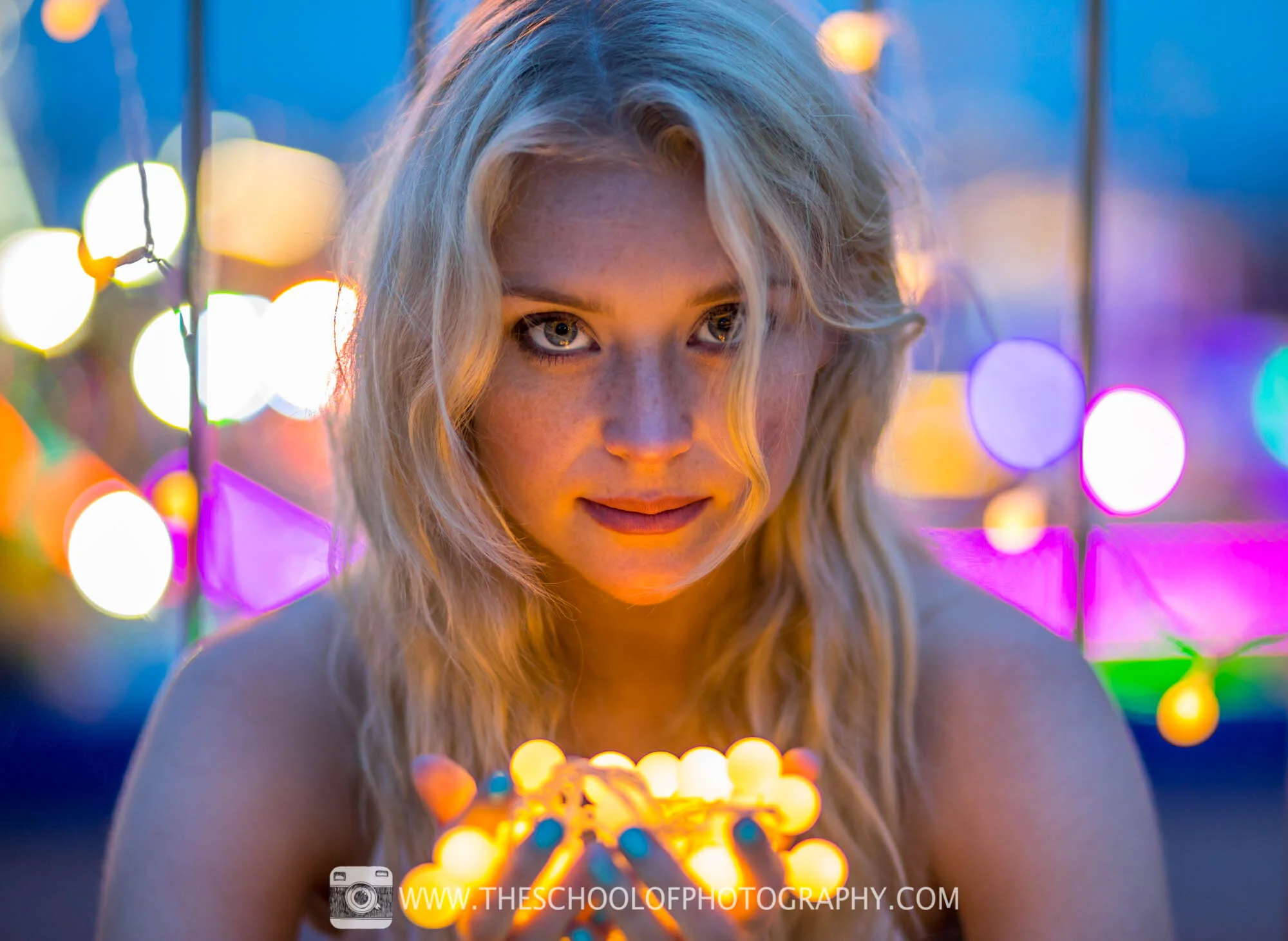
Camera Settings: 85mm Focal Length - 1/80th Second - F1.8 - ISO 800

Camera Settings: 85mm Focal Length - 1/500 Second - F 2.8 - ISO 100
Portrait Photography - Frequently Asked Questions
1. What is portrait photography?
Portrait photography is the art of capturing a person’s personality, mood and character through images, often focusing on the face and expression. It can range from formal studio portraits to candid lifestyle shots, using lighting, posing and composition techniques to highlight the subject.
2. What equipment do I need for portrait photography?
You can start with a camera that gives you control over exposure, plus a suitable lens. A 50mm or 85mm lens on a full-frame camera can work well, with equivalent fields of view available on other sensor sizes. A reflector or softbox is useful but not essential. A wide aperture can soften the background, although accurate focus becomes more important as depth of field gets shallower.
3. Which lens is best for portrait photography?
A 50mm or 85mm prime lens on a full-frame camera is a popular choice for portraits, but there is no single best lens. The right focal length depends on whether you want a close headshot, a wider environmental portrait or something in between. Camera-to-subject distance determines facial perspective; your choice of focal length helps you frame the subject from that distance. On APS-C, approximately 35mm to 56mm offers a similar field of view to 50mm to 85mm on full-frame.
4. What camera settings should I use for portrait photography?
Portrait photography settings usually prioritise a wide aperture (e.g., f/1.8–f/4) to blur the background, an ISO that keeps noise low, and a shutter speed fast enough to avoid blur. Many photographers start in aperture priority mode before moving to full manual as skills grow.
5. How can I use lighting to improve my portraits?
Look for light that suits the portrait you want to create. Open shade or diffused window light often gives soft, flattering results, while golden-hour light can add warmth. Direct midday sunlight can also work well when you use its stronger shadows deliberately. Try a reflector, diffuser or softbox to control contrast, lift shadows and create catchlights in the eyes.
6. What are common portrait photography mistakes and how can I avoid them?
Common mistakes include distracting backgrounds, incorrect focus, harsh lighting, and awkward posing. Simplifying backgrounds, focusing on the subject’s eyes, using soft lighting, and guiding natural poses can dramatically improve results.
7. How do I pose people for portraits?
Encourage relaxed, natural positions: slight shoulder turns towards the camera, leaning slightly forward, and varied hand placements help avoid stiffness. Working with the subject’s comfort and communicating clearly often produces more genuine expressions and stronger compositions.
8. Should portrait photography be shot indoors or outdoors?
Both indoor and outdoor portraits work well. Outdoors offers natural environments and lighting, while indoors provides control over light and background. Your choice depends on the style you want — soft, natural looks outdoors, or controlled, creative lighting indoors.
9. How can I make my portrait subjects feel comfortable?
Building rapport before and during the session, explaining what you’re doing, and encouraging movement and conversation helps subjects relax. When people feel at ease, their expressions and body language appear more natural and engaging.
10. What are some portrait photography composition tips?
Use framing, symmetry, the rule of thirds, and interesting backgrounds to enhance your portraits. Positioning the subject slightly off-centre, using leading lines, and experimenting with angles can add depth and interest to your images.
Like this? - Check out similar tutorials below


I hope you liked this video, please leave us a comment and support us by sharing it with your friends and subscribe to our newsletter at the bottom of this page for more.
We also have an excellent learning community on social media so please join us there as well.
Thanks for watching and remember – Learn more at The School of Photography.

Marc Newton